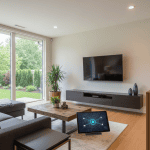
The problem is that smart home deals can look tempting even when the product is not right for your setup. A low price does not matter much if the device does not work with your Wi-Fi, voice assistant, wiring, or smart home app. That is why it pays to slow down before buying.
Instead it pays of chasing every discount, focus on smart home deals that solve real problems. Do you want to lower energy use? Watch the front door? Control lights from bed? Check on pets? Start there, then choose products that match your ecosystem.
Why Smart Home Deals Are Worth Watching
Smart home products go on sale often, especially during major shopping seasons. That can make it easier to upgrade your home without paying full retail. However, not every deal deserves your attention.
The best smart home deals give you useful features, reliable performance, and long-term value. They should also work with the devices you already own. A smart bulb that works with Alexa will be much easier for an Alexa household than one that needs a separate app nobody wants to use.
Smart home technology should feel simple once it is installed. If a deal adds confusion, another app, or another compatibility issue, it is probably not a great deal after all.
What to Consider Before Buying
Before buying any smart home device, check compatibility first. Look at the smart speakers, displays, phones, and apps already in the home. If you use Amazon Alexa, choose Alexa-compatible devices. If your home runs on Google Home, look for Google Assistant support.
Also think about Wi-Fi strength. Cameras, video doorbells, smart displays, and some smart plugs need a steady connection. If your router barely reaches the front porch or garage, a video doorbell or outdoor camera may struggle.
Power is another major detail. Battery devices are easy to place, but you have to recharge or replace batteries. Wired devices can be more reliable, yet they often need more installation work.
Finally, check whether the device needs a subscription. Many cameras and doorbells offer live view for free but require a paid plan for recorded video, package detection, or advanced alerts. That long-term cost matters.
Best Smart Home Deals for Beginners
The safest smart home deals for beginners are usually smart plugs, smart bulbs, and compact smart speakers. These products are easy to install, simple to understand, and useful in almost any home.
A smart plug can turn a regular lamp, fan, or coffee maker into a connected device. A smart bulb can add dimming, schedules, and voice control. A smart speaker can control other devices and answer basic questions.
Beginners should avoid buying too many products at once. Start with one room or one routine. Once that setup works well, expand slowly.
Recommended Product: Google Nest Learning Thermostat 3rd Gen T3007ES
The Google Nest Learning Thermostat 3rd Gen T3007ES is a strong choice for homeowners who want better climate control. It can learn your schedule, adjust temperatures automatically, and let you control heating and cooling from your phone.
This is one of the most useful smart home deals for people who care about comfort and energy savings. A thermostat affects the whole home every day. If it works with your HVAC system, it can be a smart long-term upgrade.
The main thing to check is wiring. Some HVAC systems need a C wire or extra power support. Before buying, take a photo of your current thermostat wiring and confirm compatibility.
Recommended Product: Ring Battery Doorbell Plus B09WZBPX7K
The Ring Battery Doorbell Plus B09WZBPX7K is a practical smart home deal for homeowners who want front-door awareness. It can show visitors, packages, and motion near the door through the Ring app.
This model is especially helpful if you receive deliveries often. The taller view helps show more of the doorstep than many older doorbells. Two-way audio also lets you speak with delivery drivers or unexpected visitors.
The tradeoff is storage. You may need a Ring subscription for recorded clips and some advanced features. Also, test Wi-Fi at the front door before installing it, because poor signal can cause late alerts and choppy video.
Recommended Product: Philips Hue White and Color Ambiance A19 046677590826
The Philips Hue White and Color Ambiance A19 046677590826 is one of the best smart lighting options for people who want color, dimming, scenes, and flexible control. It works well in bedrooms, living rooms, offices, and media rooms.
Smart lighting is one of the most noticeable smart home upgrades. You can set warm light for evenings, bright light for work, and colorful scenes for movie night. It also works well with voice assistants and routines.
The main downside is cost when you expand. One smart bulb is easy. A full room can require several bulbs, and some Hue features work best with a Hue Bridge.
Recommended Product: TP-Link Kasa Smart Plug Mini EP10
The TP-Link Kasa Smart Plug Mini EP10 is a great low-cost smart home deal because it makes regular devices easier to control. You can plug in a lamp, fan, or small appliance and manage it from the Kasa app or a compatible voice assistant.
This is a smart buy for beginners because installation is simple. Plug it in, connect it to Wi-Fi, name the device, and create a schedule. It is also easy to move from one room to another.
The main limitation is device type. A smart plug works best with devices that turn back on when power is restored. If an appliance needs a button press after power returns, it may not work well with a smart plug.
Recommended Product: Wyze Cam v4 WYZEC4
The Wyze Cam v4 WYZEC4 is a budget-friendly smart camera that can work well for indoor monitoring, garages, pet areas, and covered spaces. It gives homeowners a simple way to check activity from a phone.
This kind of camera can be useful for watching pets, seeing whether kids arrived home, or checking a garage. It is also a good first step before investing in a larger camera system.
Privacy matters with indoor cameras. Place cameras in shared spaces like entry halls, garages, and pet rooms. Avoid bedrooms and bathrooms unless there is a very specific reason and everyone in the home agrees.
Installation and Setup Tips
Most smart home deals are only worth it when setup goes smoothly. Before installing anything, update the app, check your Wi-Fi, and read the instructions. That sounds basic, but it prevents a lot of problems.
For smart thermostats, take a clear photo of the old wiring before removing the old unit. For video doorbells, test the camera view before final mounting. For smart bulbs, make sure the wall switch stays on.
For cameras, test the live view during the day and at night. A camera can look great in daylight and struggle after sunset. Adjust placement before you screw anything permanently into the wall.
Sale Season: Buy for One Problem
During sales we suggest starting with one daily problem. If it is porch security, buy a doorbell. If it is comfort, start with a thermostat. If it is lighting control, begin with one room. People often buy too many devices on sale and then rush the install, which leaves app clutter, weak Wi-Fi and confusing routines. A slower setup usually wins. The best smart homes look simple on the surface, with the network, naming, placement and routines planned behind the scenes.
What Nobody Tells You About Smart Home Deals
What nobody tells you is that a cheap smart device can become expensive if it adds frustration. A camera with poor alerts, a bulb that drops offline, or a lock that does not fit your door is not a bargain.
Another hidden issue is subscriptions. Some devices look affordable at checkout but need monthly plans for the features you actually want. Always check what works for free and what requires a plan.
Also, think about support. Choose products from brands that still update their apps and firmware. Smart devices need long-term software care to stay useful and secure.
Common Mistakes Homeowners Make
The first mistake is buying based on discount size alone. A big sale does not mean a device fits your home. Compatibility, Wi-Fi, wiring, and app quality matter more than the discount.
Another mistake is mixing too many brands. Every new brand can add another app, account, password, and update process. Try to stay within one or two main ecosystems when possible.
Many homeowners also ignore placement. A video doorbell needs a clear view and strong Wi-Fi. A camera needs the right angle. A smart speaker needs to sit where it can hear you.
Finally, people forget security basics. Change default passwords, use strong account passwords, turn on two-factor authentication, and keep firmware updated.
Smart Home Deals for Security
The best security-focused smart home deals are usually video doorbells, indoor cameras, outdoor cameras, smart locks, and contact sensors. These devices help you see activity, control access, and receive alerts.
Start with the front door. A doorbell camera gives fast value because it watches visitors and packages. After that, consider a camera for the driveway, garage, or side yard.
Smart locks can also be useful, but they require more planning. Check door alignment before buying. A sticky deadbolt can drain batteries and make even a good smart lock feel unreliable.
Smart Home Deals for Comfort
Comfort upgrades include smart thermostats, smart speakers, smart lighting, and smart shades. These devices make the home feel easier to live in every day.
A smart thermostat can adjust based on schedule and occupancy. Smart lighting can soften evenings and brighten mornings. A smart speaker can run routines with a simple voice command.
These are often the devices people keep using after the excitement wears off. That is the mark of a good smart home deal.
Smart Home Deals for Energy Savings
Energy-focused smart home deals include thermostats, smart plugs, smart dimmers, smart bulbs, and energy monitoring devices. They help reduce waste by turning things off, dimming lights, or changing temperature settings automatically.
Smart plugs can schedule lamps and small devices. Smart bulbs use efficient LED technology and can dim easily. Smart thermostats can reduce heating and cooling waste when the home is empty.
Do not expect every smart device to pay for itself quickly. Some upgrades are about convenience. Others are about comfort or safety. Energy savings depend on how the device is used.
How to Shop Without Overspending
Make a short list before checking smart home deals. Choose one goal and one room. That keeps you from buying random devices just because they are discounted.
Next, compare exact model numbers. Smart home products often have similar names across different generations. A small model difference can change features, wiring needs, or compatibility.
Then check current deals on Amazon and compare with the manufacturer’s site. Do not rely only on the sale label. Look at features, reviews, warranty, and return policy too.
Final Recommendation
Smart home deals can be worth it when they fit your home, your network, and your routine. Start with products that solve real problems, such as a thermostat for comfort, a doorbell for front-door awareness, a smart bulb for lighting, or a smart plug for simple automation.
For balanced options, compare the Google Nest Learning Thermostat 3rd Gen T3007ES, Ring Battery Doorbell Plus B09WZBPX7K, Philips Hue White and Color Ambiance A19 046677590826, TP-Link Kasa Smart Plug Mini EP10, and Wyze Cam v4 WYZEC4.
Buy slowly, install carefully, and build around one main ecosystem. That approach gives you a smarter home without wasting money on devices that never get used.
FAQ
What smart home deals should I buy first as a beginner?
The best smart home deals for beginners are smart plugs, smart bulbs, and smart speakers. These are easy to install and simple to understand. If you want security, start with a video doorbell. If you want comfort, consider a smart thermostat after checking HVAC compatibility. Start with one device or one room before expanding.
How do I know if a smart home deal works with my current devices?
Check the product listing and look for compatibility with Alexa, Google Home, Apple Home, SmartThings, Matter, Zigbee, or Z-Wave. Also confirm the exact model number. Some older versions may lack features found in newer ones. If you already use one ecosystem, choose devices that work cleanly with it.
Do smart home devices need strong Wi-Fi?
Many smart home devices need strong Wi-Fi, especially video doorbells, cameras, smart displays, and Wi-Fi plugs. Test signal strength where the device will be installed. A router that works well in the living room may not reach the front porch, garage, or backyard. A mesh Wi-Fi system can help larger homes.
Are cheap smart home deals worth it?
Cheap smart home deals can be worth it when the device has reliable reviews, good app support, clear compatibility, and useful features. However, the cheapest option is not always the best value. Avoid products with poor app ratings, unclear privacy policies, weak support, or hidden subscription costs.