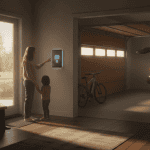
Smart home starter kits are the easiest way to begin building a connected home without feeling overwhelmed by too many devices, apps, and setup steps. A good starter kit can help you control lights, plugs, speakers, cameras, sensors, and routines from your phone or voice assistant. It gives you a simple foundation that can grow as your needs change. Imagine coming home on a cool evening. Your entry light turns on as you walk in, the living room lamp glows softly, and your smart speaker starts your favorite playlist. You don’t need to pull out your phone or walk around flipping switches. That is the goal of smart home starter kits. They should make everyday life easier right away. The best ones keep setup simple, work with popular voice assistants, and leave room for future upgrades. Starting with one smart device can be useful, but it can also feel random. A smart bulb is nice. A smart plug is helpful. A smart speaker is convenient. However, a starter kit gives you a more complete first experience. Smart home starter kits usually include devices that are designed to work together. That means fewer compatibility issues and less time jumping between apps. For beginners, that matters a lot. A good kit also helps you learn what you actually want from home automation. Maybe you care most about lighting. Maybe you want voice control. Maybe security matters more than convenience. A starter kit lets you test the waters before spending money on a bigger system. Compatibility should be your first concern. If you already use Amazon Alexa, look for smart home starter kits that work well with Alexa. If you use Google Home, choose devices that support Google Assistant. Apple users should check for Apple Home or Matter support. Next, think about what you want to automate first. Lighting kits are great for bedrooms and living rooms. Plug kits work well for lamps, fans, and holiday lights. Security kits are better for doors, windows, and motion alerts. Wi-Fi quality matters too. Many budget smart home products connect through your wireless network. If your router is weak or your home has dead zones, devices may drop offline or respond slowly. Finally, check whether the kit needs a hub. Some smart home starter kits work directly over Wi-Fi. Others use a hub or bridge. A hub can improve reliability and expand your options, but it adds another device to install. One of the easiest smart home starter kits is not always sold as a single box. Pairing the Amazon Echo Dot 5th Gen B09B8V1LZ3 with the TP-Link Kasa Smart Plug Mini EP10 creates a simple, useful setup for beginners. The Echo Dot gives you Alexa voice control, timers, music, reminders, routines, and smart home commands. The Kasa Smart Plug lets you control a lamp, fan, or small appliance from your phone or voice assistant. This combination is great for a bedroom, kitchen, office, or living room. You can say, “Alexa, turn on the living room lamp,” or create a schedule so the lamp turns on at sunset. The downside is that sound quality from the Echo Dot is fine for casual listening but not amazing for music lovers. Also, the smart plug works best with devices that turn on automatically when power returns. Still, for a first smart home setup, this is one of the easiest ways to start. The Philips Hue White and Color Ambiance Starter Kit 563361 is one of the strongest smart home starter kits for lighting. It usually includes Hue bulbs and the Hue Bridge, giving you app control, voice control, scenes, schedules, dimming, and color options. This kit is best for people who want to change how a room feels. You can create warm lighting for evenings, bright light for work, and colorful scenes for movie nights or gatherings. The Hue Bridge is a big advantage if you plan to grow your system. It helps keep lighting control more stable than many Wi-Fi-only bulb setups. It also gives you more advanced Hue features. The main drawback is cost. Philips Hue is not the cheapest smart lighting option. However, it is polished, reliable, and easy to expand, which makes it a strong pick if lighting is your first priority. For Google users, a Google Nest Hub 2nd Gen GA01892-US paired with compatible smart bulbs can make a strong starter setup. The Nest Hub gives you a touchscreen, Google Assistant, voice control, timers, weather, routines, music, and smart home controls. This setup works especially well in a kitchen, bedroom, or office. You can control lights by voice, tap the screen to adjust devices, or set routines that run at specific times. The Google Nest Hub also works nicely as a small smart home dashboard. You can see connected devices, manage routines, view compatible cameras, and use it as a digital photo frame. The downside is that it works best if you already like Google services. If your home uses Alexa or Apple devices, this may not be the cleanest fit. Still, for Google households, this is one of the most natural smart home starter kits. The Ring Alarm 8-Piece Kit is one of the best smart home starter kits for homeowners who care most about security. It typically includes a base station, keypad, contact sensors, motion detector, and range extender. This kit is useful for apartments, condos, and smaller homes. You can protect key doors, add motion detection, and manage the system through the Ring app. If you already use a Ring Video Doorbell or Ring camera, the system fits naturally. Ring Alarm also works well with Alexa. You can use voice commands, connect with Echo devices, and view compatible Ring cameras on Echo Show displays. The tradeoff is that many advanced features work best with a Ring subscription. Before buying, check current plan details and check current deals on Amazon so you know the full long-term cost. The SimpliSafe 8-Piece Wireless Home Security System is a good choice for people who want security without building a larger smart home ecosystem. It focuses on alarm protection first, which makes it easy to understand. The system usually includes a base station, keypad, entry sensors, and motion detection. It is designed for DIY setup, so most homeowners can install it without running wires or hiring a technician. SimpliSafe is a strong option for renters, smaller homes, and homeowners who want professional monitoring options without a complicated setup. It is less about flashy smart home control and more about straightforward protection. The downside is that it may not feel as deeply connected to cameras, lighting, speakers, and routines as Ring or Alexa-based systems. If you want smart home control first, another kit may fit better. If you want a smart home starter kit on a tighter budget, pairing the Wyze Cam v4 WYZEC4 with Wyze Bulb Color can give you lighting and basic monitoring at a lower cost. This setup works well for bedrooms, garages, pet areas, and small apartments. The Wyze Cam v4 can help you check on activity from your phone. It is useful for watching pets, checking a garage, or monitoring an entry space. The Wyze Bulb Color adds app-based lighting control and color scenes. This is a good beginner setup because it lets you try both smart lighting and camera monitoring without buying a large system. It is also easy to move devices around as you learn what works. The main tradeoff is ecosystem depth. Wyze offers strong budget value, but it may not feel as polished or expandable as Philips Hue, Ring, Google, or Amazon-based setups. For budget testing, though, it is hard to ignore. Many smart home starter kits begin with a smart speaker or smart display. Both can control devices, answer questions, play music, and run routines. The right choice depends on how you like to interact with technology. A smart speaker like the Amazon Echo Dot is affordable and simple. It works well if you mostly want voice control and music. It also takes up very little space. A smart display like the Google Nest Hub or Echo Show 8 adds a screen. That helps with camera feeds, recipes, timers, touch controls, and visual reminders. Displays cost more, but they can be easier for family members and guests to use. For a kitchen or shared family area, a display can be worth it. For a bedroom or office, a speaker may be enough. Beginners often get confused by smart home protocols. Wi-Fi devices connect directly to your router. Zigbee and Z-Wave devices usually need a hub. Matter is a newer standard designed to improve compatibility across platforms. Wi-Fi devices are easy to start with, especially for plugs, bulbs, and cameras. However, too many Wi-Fi devices can crowd a weak router. That is why network quality matters. Zigbee and Z-Wave devices can be more efficient, especially for sensors and lighting. They often work well in larger systems. The tradeoff is that you need a compatible hub. For your first smart home starter kit, do not overthink it. Choose a kit that works with your preferred ecosystem and has good app reviews. As your system grows, protocols become more important. Start by installing one device at a time. Connect the hub, speaker, or display first. Then add bulbs, plugs, sensors, or cameras one by one. This makes troubleshooting much easier. Use clear names for every device. “Living Room Lamp” is better than “Plug 1.” “Front Door Sensor” is better than “Sensor 2.” Clear names make voice commands and routines much easier. Test each device before final placement. A camera may connect near the router but struggle at the garage. A smart plug may work in one outlet and lose signal in another room. After setup, update firmware. Many devices improve after their first update. It may take a few extra minutes, but it can prevent bugs and connection issues. Begin with a single goal, such as better lighting in the living room, simple security at the front door or voice control in the kitchen. Beginners often buy too many devices at once, which creates confusion. Install a small kit, use it for a week and then decide what to add. Network strength is the other factor, since a starter kit performs only as well as the Wi-Fi that reaches it. Before you blame the product, check the signal in the room where it will live. What nobody tells you is that the kit is only the beginning. The real value comes from routines. A smart bulb is convenient, but a routine that turns off the whole downstairs at bedtime is much better. Another practical tip is to keep all packaging and setup codes until everything works. Some devices have QR codes or pairing numbers printed on inserts, stickers, or small cards. Losing those can make setup harder later. Also, avoid mixing too many brands right away. A smart home should feel simple. Too many apps can make a beginner setup feel more complicated than it needs to be. The first mistake is buying a starter kit without checking compatibility. A device may be smart, but that does not mean it works with your phone, speaker, hub, or voice assistant. Another mistake is putting devices in weak Wi-Fi zones. Cameras, smart displays, plugs, and Wi-Fi bulbs all need a stable connection. If a device drops offline, signal strength is often the real issue. Many beginners also skip security settings. Use strong passwords, turn on two-factor authentication when available, and update device firmware. A smart home should be convenient and secure. Finally, people forget to build routines. Without routines, smart devices are just remote-controlled gadgets. Routines turn them into a system that helps you every day. The living room is a great place to start because lighting, plugs, speakers, and routines all make sense there. You can automate lamps, control music, and create a movie-night scene. A bedroom setup can include a smart speaker, smart bulb, or smart plug. Morning and bedtime routines are especially useful here. Keep the setup simple and avoid adding too many notifications. A smart speaker or smart display works well in the kitchen. It can handle timers, music, recipes, reminders, and lighting control. This is one of the most useful rooms for voice commands. The entryway is ideal for smart lighting, door sensors, and video doorbells. A starter kit here can improve both convenience and security. A garage can benefit from a smart camera, door sensor, or smart plug. Many homeowners forget the garage, even though it is one of the most important access points in the home. Once your first kit works well, expand by routine instead of by product. Ask yourself what daily task still feels annoying. Then add a device that solves that task. If you started with lighting, add motion sensors or smart switches later. If you started with a security kit, add cameras or a video doorbell. If you started with a smart speaker, add plugs and bulbs for voice control. This approach keeps costs under control. It also keeps the system easy for everyone in the home to understand. Smart home starter kits are worth it when they match your goals, budget, and ecosystem. For Alexa users, an Echo Dot with Kasa smart plugs is a simple first step. For lighting, the Philips Hue White and Color Ambiance Starter Kit 563361 is a polished choice. For Google homes, a Nest Hub setup works well. For security, Ring Alarm is better for homes that already use Ring or Alexa, while SimpliSafe is better for homeowners who want a simple alarm-first setup. For budget testing, Wyze cameras and bulbs are a good place to begin. Start small, use clear device names, check Wi-Fi, and build routines around real daily habits. That is how smart home starter kits become useful instead of just interesting. The best smart home starter kits for beginners are simple, compatible, and easy to expand. Good options include an Amazon Echo Dot with Kasa smart plugs, the Philips Hue White and Color Ambiance Starter Kit, a Google Nest Hub with compatible bulbs, Ring Alarm for security, or SimpliSafe for alarm-focused protection. Some smart home starter kits need a hub, while others work directly over Wi-Fi. Philips Hue works best with the Hue Bridge. Ring Alarm and SimpliSafe use their own base stations. Many smart plugs and bulbs connect directly to Wi-Fi. A hub can improve reliability and expansion, but beginners can also start with hub-free devices. The right budget depends on your goal. A simple plug and smart speaker setup can cost much less than a security or lighting system. Instead of chasing the cheapest kit, choose one that solves a real problem and works with your preferred ecosystem. Check current deals on Amazon before buying, but confirm exact model numbers. You can mix brands if they support the same platform, such as Alexa, Google Home, Apple Home, SmartThings, or Matter. However, beginners should avoid mixing too many brands at first. Too many apps and accounts can make setup confusing. Start with one ecosystem, then expand carefully once you understand how everything works.Why Smart Home Starter Kits Are a Good First Step
What to Consider Before Buying
Best Overall Starter Kit: Amazon Echo Dot 5th Gen With Kasa Smart Plug Mini EP10
Best Lighting Starter Kit: Philips Hue White and Color Ambiance Starter Kit 563361
Best Google Starter Kit: Google Nest Hub 2nd Gen GA01892-US With Smart Bulbs
Best Security Starter Kit: Ring Alarm 8-Piece Kit
Best Simple Security Kit: SimpliSafe 8-Piece Wireless Home Security System
Best Budget Starter Kit: Wyze Cam v4 WYZEC4 With Wyze Bulb Color
Smart Speaker or Smart Display?
Should You Choose Wi-Fi, Zigbee, Matter, or Z-Wave?
Installation and Setup Tips
Starter Kits Work When You Pick One Goal
What Nobody Tells You About Smart Home Starter Kits
Common Mistakes Homeowners Make
Best Rooms for Your First Smart Home Starter Kit
Living Room
Bedroom
Kitchen
Entryway
Garage
How to Build From a Starter Kit
Final Recommendation
FAQ
What are the best smart home starter kits for beginners?
Do smart home starter kits need a hub?
How much should I spend on my first smart home starter kit?
Can I mix brands in a smart home starter kit?