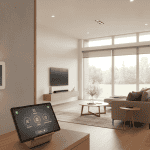
You do not need a big budget or a professional installer to build a useful smart home. A few well chosen devices can switch things off when you leave, show who is at the door, and make everyday routines easier, and the first ones cost less than a pizza. The trick is to buy in the right order and to skip the gadgets that look clever but solve nothing. This guide shows what to buy first, what each step costs, and how to avoid the mistakes that waste money.
The short plan
- Under $25: a pack of smart plugs. They are the cheapest way to see what a smart home feels like.
- Under $100: one camera or one smart display for the room you use most.
- Under $250: add a smart thermostat or a few smart bulbs and a hub only if your devices need one.
- Before anything: check that your Wi-Fi reaches the places where you plan to put devices.
Start with one problem, not a shopping list
The most common budget mistake is buying ten devices that do not work together. Pick one thing that annoys you today and fix only that. Maybe the living room lamp is always left on, you want to check the front door when you are away, or you would like to turn off the TV without finding the remote. Each of those has a low cost answer, and each one teaches you what you actually like before you spend more.
Step 1: Smart plugs
A smart plug sits between the wall outlet and a lamp, fan or other simple appliance and lets you control it from your phone, a schedule or your voice. It is the cheapest entry point and works with almost anything that has a plug. The Kasa Smart Plug Ultra Mini 15A was priced at about $14 when we checked in October 2026, and it works with Alexa and Google Home.
Use plugs on lamps, fans, holiday lights, coffee makers with a mechanical switch and the TV and game console shelf. Do not use them on appliances that draw a lot of power, such as space heaters, unless the plug is rated for it. Always read the maximum rating printed on the plug. If a plug will not connect during setup, our guide to smart plugs, thermostats and appliances that will not connect covers the usual fixes.
Step 2: A voice assistant or a small display
Once you have a few devices, a single place to control them helps. A smart display shows cameras, timers, music and routines on one screen, and it also works as a kitchen helper. The Echo Show 5 sits at the lower end of the price range, around $100 when we checked, and suits a bedside table or a kitchen counter. If you prefer Google, the Google Nest Hub 2nd Gen is a camera free option. Our guide to the best smart displays explains how to choose between them.
Step 3: One camera where it matters
You do not need a camera in every room. One camera pointed at the main entrance gives most of the benefit. The Wyze Cam v4 is a low cost indoor and outdoor camera, priced at about $45 when we checked. Before you buy, check where video is stored and whether any features need a monthly plan, because that cost adds up. For a wider comparison, see our security cameras guide. If a camera drops offline later, this troubleshooting guide helps.
Step 4: Lighting
You can make lights smart in two ways. Smart bulbs replace the bulb and work in any lamp. A smart switch replaces the wall switch and controls every bulb on that circuit, which is cheaper when you have many bulbs. Do not combine the two on the same light, because turning the switch off cuts power to the bulb and breaks its connection. Our smart lighting guide compares the options, and the guide on lights that will not connect or respond helps if something stops working.
Step 5: The thermostat that pays you back
A smart thermostat is the one budget upgrade that can reduce your bills, because heating and cooling are the biggest part of most home energy use. Look for a model that works with your system and supports a schedule. Our smart thermostat guide and the comparison of ecobee and Nest explain how to pick one, and our smart home energy efficiency guide shows how to use it well.
Get your network ready first
Most cheap devices use only the 2.4 GHz Wi-Fi band and are sensitive to weak signal. If your router is far from where you plan to put a camera or plug, move the device closer or add a mesh node before you buy more. Our smart home Wi-Fi setup guide shows how to arrange the network so devices stay connected.
How to buy for less
- Buy multipacks. Plugs and bulbs are usually cheaper per piece in a pack of two or four.
- Check our deals page before you buy, and compare the price with a few other weeks if you can wait.
- Stay in one ecosystem. Devices that work with the same assistant are easier to set up and avoid extra hubs.
- Check the return window. If a device does not work with your router or your phone, you want to be able to send it back.
- Look at starter kits only if the kit contains devices you would buy anyway. Our starter kit guide compares the options.
What to skip for now
Skip anything that needs professional wiring, a monthly subscription you have not priced, or a dedicated hub that only one of your devices uses. Skip smart appliances until your current ones need replacing. Skip a large starter bundle if you have not used a single smart device yet, because you will not know which parts you want.
Three sample budgets
- About $15: a two pack of smart plugs for a lamp and a fan. Add a schedule and see how often you use it.
- About $120: plugs plus a small smart display for the kitchen or bedroom.
- About $200 or more: plugs, a camera for the front door and a smart thermostat if you have a compatible system. Our best budget smart home devices list can help you fill the gaps.
Prices change often, so check the current price on each product page before you buy.
Frequently asked questions
What is the cheapest way to start a smart home?
Smart plugs. A pack costs less than most single smart devices, works with items you already own and shows you quickly whether you enjoy the idea.
Do I need a hub to start?
Not for most Wi-Fi devices. A hub helps when you have many devices that use Zigbee or Z-Wave, or when you want local control. For a first setup, devices that connect directly to Wi-Fi and a voice assistant are enough.
Which ecosystem should I choose?
Choose the one your household already uses. If you have Android phones and Google speakers, start with Google. If you use Alexa, stay with Alexa. Apple households should check for Apple Home or Matter support before buying.
Will a budget smart home save energy?
It can. A smart thermostat and schedules on lights and plugs reduce waste. Our energy efficiency guide explains where the biggest savings are.
Is cheap smart home gear reliable?
Many budget devices are fine for everyday use, but they depend on a good Wi-Fi signal and regular app updates. Buy from brands that keep their apps updated, and keep the return window in mind.
Keep exploring
If you are ready for more, read our guides to smart home Wi-Fi setup, smart displays and smart home energy efficiency.