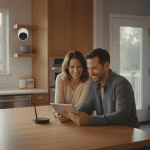
Searching for security cameras that won’t break the bank? Here are the top 5 models under $100, combining great features with affordability to boost your home’s security.
What to Consider Before Buying a Security Camera
When choosing a security camera, several specifications play crucial roles in effectiveness. First, consider the resolution: 1080p provides a good balance between clarity and bandwidth use. If you’re monitoring a larger area, check for a wide field of view – anything around 120 degrees gives you more coverage. Low-light capability is another significant factor; cameras that can operate in lighting as low as 0.1 lux will still capture clear video at night.
Connectivity also matters. A dual-band Wi-Fi capability (2.4GHz and 5GHz) allows for more reliable connections, especially if you plan to integrate these devices into a smart home system that uses protocols like Zigbee or Z-Wave. Lastly, the app experience is critical. Look for user-friendly interfaces—like being able to access video feeds under “Live View” or set motion detection alerts easily within the “Settings” menu.
3 Recommended Products
1. Wyze Cam v3
The Wyze Cam v3 is a great entry-level option. With its 1080p video quality, wide 130-degree field of view, and night vision that works up to 30 feet, it provides excellent security for the price. A pro is its price, often under $35, which makes smart surveillance accessible. However, the Achilles’ heel lies in its reliance on cloud storage for footage beyond a 14-day window unless you invest in a subscription. This camera is ideal for anyone wanting basic functionality in a small package but may not suffice for those needing extensive storage options for recorded video.
2. Blink Mini
The Blink Mini is another solid contender. Pricing around $40, it features 1080p HD video and an impressive two-way audio system. The motion detection settings are customizable and can send alerts directly to your smartphone. However, the camera needs to connect to a Blink Sync Module for more advanced features, which can be a point of confusion during setup. This camera works well for users already within the Blink ecosystem but may fall short for those looking for standalone, flexible functionality.
3. YI Dome Camera
For those needing more versatility, the YI Dome Camera offers excellent pan-and-tilt capabilities with a 345-degree horizontal and 115-degree vertical rotation. Priced around $60, it includes 1080p video quality and supports microSD cards for local storage. The downside here? The app interface can feel overwhelming with options, and if your Wi-Fi signal isn’t strong enough, you might experience latency. This camera fits someone aiming for comprehensive coverage but might be a bit ambitious for a first-time smart home user.
Installation and Setup
Setting up any of these cameras is generally straightforward but can have its quirks. For example, when installing the Wyze Cam v3, you’ll need to download the Wyze app, create an account, and connect the camera to your Wi-Fi. The app should guide you through the step-by-step process of pairing.
Commonly, users encounter a connectivity issue. If your camera fails to connect, a good first step is to double-check your Wi-Fi password. If that seems fine, reboot your router before trying again. For the Blink Mini, ensure it’s plugged in close to the central hub during setup, as interference can cause connection problems. Lastly, after connecting the YI Dome Camera, position it within range of your router to avoid choppy video feeds; if latency issues arise, consider relocating closer to the signal source.
Common Mistakes Homeowners Make
One oversight I often see is not considering one’s specific environment when installing cameras. Many users place cameras too high, minimizing the field of view and compromising detail clarity. Aim for a height of 7 to 10 feet for a good inspection angle, as lower placement catches more details.
Another mistake is neglecting consistent Wi-Fi performance. A weak signal can lead to choppy footage or connection drops, so assess your coverage before installation. Finally, set camera motion detection settings carefully. Too sensitive a setting can result in annoying false alerts from passing cars or tree movement, leading to alert fatigue. It’s better to start with broader detection and narrow down based on your actual needs.
Common Questions
1. Can I access the video feed remotely?
Yes, most budget security cameras, including the Wyze Cam v3 and Blink Mini, offer remote viewing through their dedicated apps. You can monitor live footage from anywhere with an internet connection.
2. Is cloud storage necessary for security cameras?
While not mandatory, cloud storage often provides an easy way to store and retrieve footage. Cameras like the YI Dome require microSD cards for local storage, which some users prefer for data privacy reasons.
3. How do I ensure my camera stays safe from hacks?
Securing your camera involves changing default passwords, regularly updating the firmware, and using secure Wi-Fi protocols. Consider setting up two-factor authentication, which adds a layer of security against unauthorized access.
4. Are outdoor cameras different from indoor cameras?
Yes, outdoor cameras often come with weatherproof ratings (such as IP65) to withstand the elements, while indoor cameras typically focus on aesthetics and indoor lighting. Ensure you choose a model suitable for your installation environment.
Final Recommendations
After testing these cameras in real-world settings, my top recommendation goes to the Wyze Cam v3 for its fantastic value and all-around performance. While it lacks expansive cloud storage unless you pay for it, its ease of use and quality video make it a top pick for anyone looking to start with home security. Ultimately, investing in even a budget-friendly model is better than having no security at all. So, secure your space and enjoy the peace of mind that comes with keeping an eye on your home.