

Description
Price: $41.99
(as of Oct 20, 2023 12:31:30 UTC – Details)

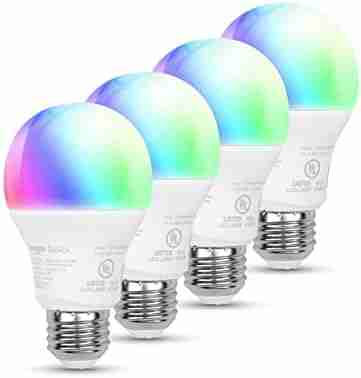
From the manufacturer Amazon Basics Color Changing Smart LED Light Bulb, Works with Alexa 
 Easy to install and configure
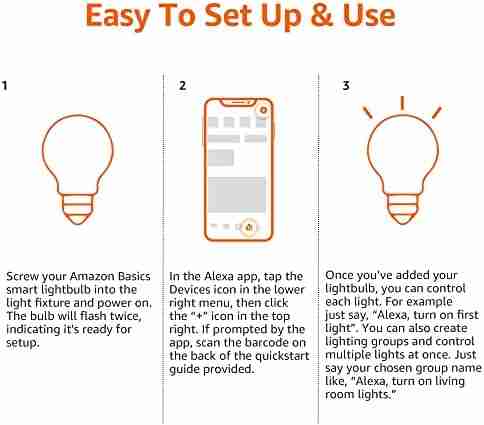
Start by screwing in your bulb. Connect to a secure Wi-Fi network, open the Alexa app, tap the Devices icon, and click the + icon to get started.
 Control with your voice
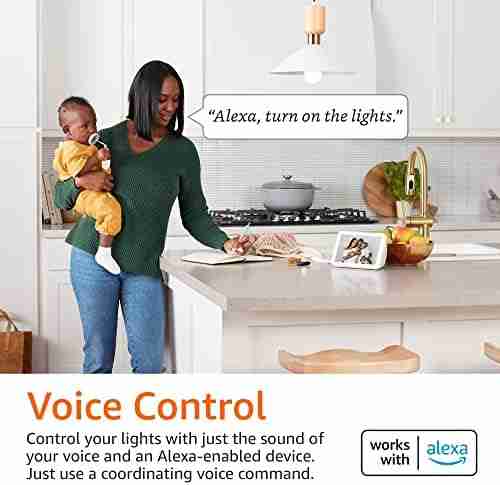
All you need is an Alexa-enabled device and a coordinated voice command like “Alexa, turn on the living room lights.”
 Use and control from anywhere
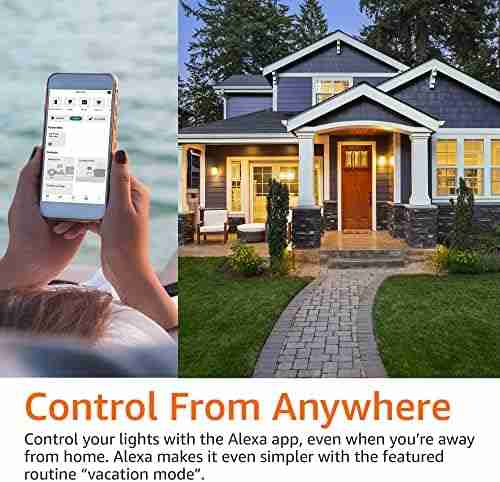
Easily turn on/off and adjust your bulb settings, even when you’re away from home. All you need is the Alexa app.
 Customizable and adjustable color
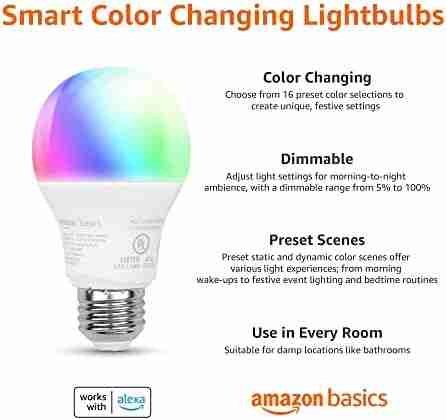
Choose from 16 preset color selections and a dimmable range of 5-100% to create custom settings; perfect for daily routines and festive events.
Create custom routines
Save energy and have fun with your loved ones by creating custom Alexa routines for daily and one-time events. Get started in the Alexa app to create your routine in 3 simple steps:
Open the Alexa app. Select ‘More’ from the bottom navigation menu. Select “Routines” and follow the prompts. 
What if Alexa can’t detect my Amazon Basics smart bulb?
1. Verify that you have the latest version of the Alexa app.
2. Your paired device and your bulb are connected to the same 2.4G Wi-Fi network and are within 30 feet
3. Turn off the light and turn it on again.
4. If it still doesn’t work, please factory reset your bulb.
How do I reset the bulb?
Use a light switch to turn the bulb on and off 5 times. During the 6th power cycle, it will flash 5 times and then flash twice gently, indicating that you have successfully reset the bulb to its factory settings and it is ready to be set again.
What should I do if I lose the barcode setup or the barcode scan setup fails?
You can configure your device via 2 alternative configuration methods which can be found in the User Manual attached on this page, in the Product Guides and Documents section.
What should I do if my bulbs appear unplugged or unresponsive?
1. Make sure the light switch is on.
2. Turn off the light and turn it on again, wait 1 minute and check the status.
3. If all else fails, try resetting the bulb.
What should I do if I see an error code (-1:-1:-1:-1) during Alexa setup?
1. Make sure your phone has Bluetooth enabled throughout the setup process and that the device you are trying to set up is in pairing mode.
2. Restart your device by turning it off and on, and then set it up again.
Installation and product requirements
Additional Support Please refer to the user manual and troubleshooting guide located in the Product Guides and Documentation section on the details page Electrical Ratings Input: 120 VAC, 60 Hz; Output: 104 mA Network connectivity 2.4 GHz only, 802.11 b/g/n; does not support 5 GHz networks or connect to ad-hoc (or peer-to-peer) Wi-Fi networks Usage Can be used in all indoor spaces, including wet locations such as bathrooms Control Can be controlled by voice and app after setting up with the Alexa App or used as a traditional light bulb. Compatibility Works only with Alexa. Not compatible with other voice assistants such as Google Assistant, Apple HomeKit, Smart Things included in the box. Amazon Basics Smart Bulb, User Manual and Quick Start Guide. Service and Terms Use of the Amazon Basics Smart Bulb is subject to the Alexa and Alexa device terms. Certified for humans
Certified for Humans products are smart devices for non-experts. Stress-free devices that do not require patience. Connecting to Alexa is quick and easy; Even software updates are automatic. All Certified for Humans devices meet a high standard and customers love them because they are surprisingly simple.


SIMPLE TO SET UP WITH ALEXA: Screw in the bulb, open the Alexa app and get started in minutes when you receive the “First bulb found” notification. Otherwise, you can add the smart bulb directly from the Alexa app. No hubs or third-party apps or skills required. For a hands-free setup experience, check “Link device to your Amazon account to simplify setup” during checkout and start using your smart bulb in no time. Note: Amazon Basics smart light bulbs work exclusively with Alexa and are configured with 2.4 GHz Wi-Fi only.
TRANSFORM YOUR SPACE WITH BRIGHT COLORS: Create your perfect environment by choosing from 16 preset color selections and brightness levels from 5% to 100%. Enjoy the best moments during Christmas festivities or games with friends or movie nights with family with different colors. Simply say “Alexa, turn the hallway lights purple.” Please note that the bulbs are dimmable via app/voice control, but not via a mechanical switch.
CONTROL FROM ANYWHERE: Control your smart lights with the Alexa app even when you’re not at home, such as from your car, office or gym. Feel confident making your home look occupied even when you’re not creating an Alexa routine to schedule lights to turn on and off automatically.
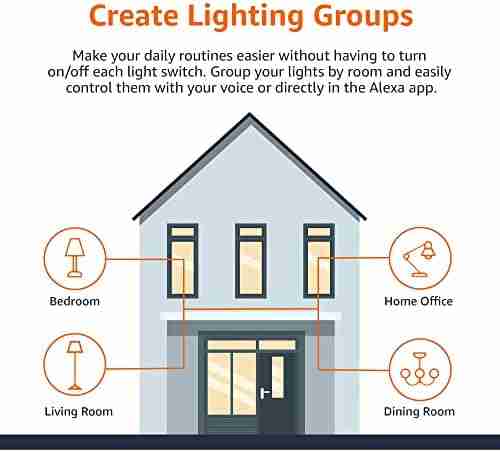
GROUP CONTROL: Create groups in the Alexa app to combine lights, allowing you to control the lights in each room or all the lights in your home with a single voice command or through the app. When it’s time to sleep, simply say “Alexa, turn off the bedroom” OR use the Alexa app to turn off the bedroom lights immediately.
SUITABLE FOR EVERY ROOM: Update your home by adding smart lights to every indoor space, including wet places like bathrooms.
Reviews
There are no reviews yet.