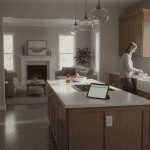
Finding the best spot for your WiFi router can vastly improve your home internet experience and eliminate dead zones.
Setting the Scene: A Real-World Experience
Imagine returning home after a long day, excited to stream your favorite show or connect with friends online. You boot up your laptop, only to face frustration as you navigate dropped connections or painfully slow internet speeds. Perhaps you find yourself moving closer to your router, hoping that a few extra feet will boost the signal. This scenario plays out in many homes across America. Unlike the small, compact boxes they might seem, WiFi routers require thoughtful placement to ensure robust connectivity. The key is knowing where to position your router to maximize its performance and create a seamless online experience.
What to Consider Before Buying a Router
Before diving into router placement tips, it’s essential to consider a few features of the router itself. Look for dual-band or tri-band capabilities. A dual-band router operates on both the 2.4 GHz and 5 GHz frequencies, allowing for better management of multiple devices. For larger homes or heavy data usage, a tri-band option might be ideal, as it can handle concurrent connections more efficiently. Additionally, consider the router’s range. A model that covers a larger area may require less strategic placement. Some routers even come equipped with beamforming technology, which focuses the WiFi signal directly toward your devices. This can significantly enhance performance, especially in homes with tricky layouts. Another factor to keep in mind is the number of devices that will be connecting to your network. Heavy users may benefit from high-speed routers with advanced Quality of Service (QoS) features. This lets you prioritize traffic, ensuring that video streaming doesn’t get interrupted while someone else is browsing the web.
Recommended Products to Enhance Your WiFi Experience
When it comes to choosing the right router, several models stand out in the crowded market. The Netgear Nighthawk AX12 is a powerhouse known for its impressive speed and range. It offers 12 streams of data, making it an excellent choice for households with heavy usage or numerous devices. While it does come with a higher price tag, many users find the performance well worth the investment, especially in larger homes where dead zones are common. On the other hand, the TP-Link Deco X60 provides a mesh WiFi solution that effectively blankets your entire area. This product shines in its simplicity and ease of use. Those looking to eliminate dead zones entirely would appreciate how this router seamlessly connects multiple units for expansive coverage. While it may not offer the same raw speed as some high-end models, it makes up for it with reliability. Lastly, the ASUS RT-AX86U is another excellent option, especially for gaming enthusiasts. With its advanced gaming features and customizable options, it caters particularly well to that niche. However, it might be overly complex for those who just want straightforward internet access.
Placing and Setting Up a Wi-Fi Router
Put the router in a central location in your home, ideally on a shelf so obstructions do not block the signal. Connect to its web interface through a browser, using the address printed on the device. Change the default login details right away to secure your network. Then adjust settings such as channel selection as needed for your home. Finally, walk through the house with a Wi-Fi analyzer app on your smartphone to check signal strength room by room, and move the router or add a mesh node where coverage is weak.
Common Mistakes Homeowners Make
Even the most well-meaning homeowners can make critical missteps in their quest for optimal WiFi. One common error is hiding the router away in a cabinet or closet. This practice obstructs the signal, leading to weak connectivity issues. Another frequent mistake is positioning the router near metal objects or electronic devices. Such items can interfere with the signal, creating additional issues. People also often overlook the effects of physical barriers like walls and floors. Thick walls can absorb the signal, severely reducing range. Regularly rebooting your router is another aspect many forget. Just as your computer benefits from a refresh, routers perform better with the occasional restart. Lastly, overlooking firmware updates can keep your router from operating at peak performance. Manufacturers frequently release updates to improve speed and fix security vulnerabilities, so keeping the firmware current is vital for a stable connection.
Frequently Asked Questions
While questions about WiFi routers and their placement are common, a few stand out as especially crucial. First, “How high should I place my router?” The general rule is to elevate it as much as possible, ideally on a shelf or wall bracket. This allows the signal to disperse without hindrance. Another common inquiry is, “Can multiple routers help in a large home?” Absolutely, using a mesh system or additional routers can fill in areas that a single unit cannot cover. Many wonder, “What factors can impact my WiFi speed?” A variety of issues can slow down your connection, from interference caused by other electronic devices to the number of users on your network. Finally, a frequent question arises about the life span of a router. While some may last years, advancing technology often makes it beneficial to upgrade every few years to keep up with increasing internet speeds and the growing number of devices we connect.
A Final Recommendation
Finding the best spot for your WiFi router holds the key to unlocking an enjoyable online experience in your home. While choosing a high-quality router is essential, thoughtful placement can make all the difference. A little effort in setup and avoiding common mistakes can lead to significant improvements in your internet speed. As you navigate your options, consider what features are important for your lifestyle and environment. Elevate that router, clear away obstacles, and prepare to enjoy a seamless connection throughout your home.