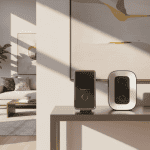
Imagine coming home on a chilly evening, arms full of groceries, and wishing for a way to turn on the lights and heat without fumbling for keys. This scenario is all too common; many people find themselves struggling with basic tasks that smart home technology could simplify. From smart bulbs to thermostats, innovations are shaping the way we live, ensuring that comfort and convenience are no longer just dreams. Let’s dive into the must-have smart home devices that can transform your living space and improve your day-to-day life.
What to Know Before Buying
Before you dive into purchasing smart home products, consider these key factors:
- Compatibility: Make sure the device works with your existing systems. For instance, the Amazon Echo Show 10 is compatible with most smart home devices, including Zigbee and Z-Wave systems. This versatility can save you from a costly future overhaul.
- Connectivity: Wi-Fi, Zigbee, or Bluetooth? Wi-Fi devices can be slower with multiple users connected, while Zigbee devices like the Philips Hue Starter Kit create a mesh network that can be faster and more reliable in large homes. Choose wisely based on your needs.
- Energy Efficiency: Look for devices with energy-saving features. The Ecobee SmartThermostat learns your schedule and adjusts heating and cooling accordingly, which can lead to significant savings on your electric bill — up to 23% in heating and cooling costs annually.
- Security Features: Advanced encryption, two-factor authentication—protecting your data should be a priority. The Ring Video Doorbell Pro 2 not only offers high-definition video but also features bank-grade encryption to keep your home safe.
Top Options Worth Considering
Here are three standout smart home devices that deserve your attention:
- Google Nest Hub Max:Pros: Great for integration with Google services, fantastic display for video calls, and smart home controls.
Cons: Limited compatibility with non-Google devices. It’s best for those fully integrated into the Google ecosystem.
- Google Nest Hub Max:Pros: Great for integration with Google services, fantastic display for video calls, and smart home controls.
- Apple HomePod Mini:Pros: Superior audio quality and Siri compatibility. Works seamlessly with HomeKit-enabled devices.
Cons: Limited third-party integrations compared to others, making it less versatile than other smart speakers.
- Apple HomePod Mini:Pros: Superior audio quality and Siri compatibility. Works seamlessly with HomeKit-enabled devices.
- Philips Hue Color Ambiance Starter Kit:Pros: Highly customizable, energy-efficient, great for mood lighting. Works well with both Amazon and Google smart assistants.
Cons: Requires a hub for full functionality and can be pricier than other smart lighting options.
- Philips Hue Color Ambiance Starter Kit:Pros: Highly customizable, energy-efficient, great for mood lighting. Works well with both Amazon and Google smart assistants.
Installation and Setup
Setting up smart devices isn’t always as easy as a plug-and-play scenario. Here are practical tips you might not find in the standard manuals:
- Read the Manuals: It sounds basic, but each product has nuances. For instance, the Philips Hue setup recommends positioning the hub within 30 feet of your lightbulbs for optimal performance.
- Update Firmware: Before you start using devices like the Ecobee SmartThermostat, ensure it’s updated with the latest firmware. This prevents compatibility issues and enhances features.
- Router Placement: For Wi-Fi-dependent devices, place the router in a central location. Wall obstructions can disrupt signals. If you notice lag or failure to connect, consider investing in a mesh network.
- Check App Compatibility: Not all apps play nicely together. For example, if you’re using the Amazon Alexa app, ensure that your devices are compatible with it for smoother operation.
Common Mistakes to Avoid
Homeowners often stumble through the learning curve of smart tech. Here are three mistakes to steer clear of:
- Ignoring Network Security: A common oversight is not securing your Wi-Fi network. It’s crucial to change default passwords and use WPA3 encryption if available.
- Failing to Create Automation: Many devices have automation features that go unused. Spend time setting up rules; for example, linking your smart lights to turn on when your smart lock is engaged at night.
- Purchasing Incompatible Devices: This often leads to frustration. Always research compatibility before making a purchase. Investing in a hub like SmartThings can help streamline your setup.
FAQ
What is the best smart home device for security?
The Ring Video Doorbell Pro 2 offers a mix of high-definition video, two-way talk, and advanced encryption, making it a solid choice for home security.
Can smart home devices work without Wi-Fi?
Yes, some devices, like certain Zigbee-enabled lights, can operate through a hub without Wi-Fi, though most will require a stable internet connection for full functionality.
How do I choose the right smart thermostat?
Look for features like learning capabilities, remote sensors, and energy reports. The Ecobee SmartThermostat is a great option that adapts to your habits.
Are smart home devices worth the investment?
Absolutely! While the initial cost may seem high, the long-term savings on utilities and increased security make them worthwhile investments.
When choosing smart home devices, consider your specific needs. If you’re tech-savvy and want compatibility across multiple platforms, the Google Nest Hub Max is a top option. If you’re an Apple user, the HomePod Mini is an excellent fit. For those looking for a simple lighting solution, the Philips Hue Starter Kit cannot be beaten. Whatever your situation, the right smart home devices can enhance your space and streamline your daily routine.