Smart thermostats can drastically reduce your energy expenses and supercharge your home’s comfort. From the Nest Learning Thermostat to the ecobee SmartThermostat, these devices adapt to your heating and cooling needs. This article dives into how they transform your energy bills and which ones to consider.
Before you decide which smart thermostat to invest in, let’s make it clear: these gadgets don’t just look high-tech; they actually work. They learn your schedule, track your energy usage, and, crucially, help you save money. Here’s what you need to know to start saving.
What to Consider Before Buying a Smart Thermostat
When selecting a smart thermostat, consider compatibility with your existing HVAC system. For example, the Ecobee SmartThermostat works with most 24V HVAC systems, but not all heat pumps. Most smart thermostats operate on Wi-Fi connectivity, ideally on Wi-Fi 6 for better stability and faster updates, particularly in larger homes.
Look at the control interfaces as well. User-friendly apps such as the Nest app often feature simple temperature controls and energy reports. For example, the Energy History screen in the Nest app allows homeowners to see energy consumption on a daily basis, enabling fine-tuning of your heating and cooling strategies. Having easy access to reports can help you quickly identify energy spikes, which aids in proactive cost management.
Sensor capabilities are another key spec. The Ecobee model includes remote sensors that can cover up to 1,000 square feet and can be strategically placed to measure temperature variations, helping to maintain a consistent climate throughout your home. For a family with rooms that heat or cool unevenly, this could be a game-changer.
Installation and energy-saving features, like adaptive scheduling, also play a role in your decision. The ability to set different temperatures for different times of day can dramatically affect your energy consumption. Look for features like geofencing, which adjusts the temperature based on your location – so if you leave for work, the thermostat knows to save energy until you return.
Three Recommended Products
**1. Nest Learning Thermostat (3rd Generation)**
The Nest Learning Thermostat not only has a sleek design but also great functionality. Its auto-schedule feature learns your heating preferences, cutting energy costs by an average of 10-12% on heating and cooling bills. It works on a wide range of systems, making it versatile, but the catch is that it may not suit older homes with complex or unique HVAC setups.
**2. Ecobee SmartThermostat with Voice Control**
This model is particularly great if your home has multiple levels or rooms. With room sensors that can detect occupancy (and thus adjust heating), this extra touch can save you around 23% on your energy bill. The downside? It’s often pricier than other models, and the app interface might overwhelm less tech-savvy users.
**3. Honeywell Home T9 Smart Thermostat**
The Honeywell T9 is an excellent budget-friendly option. It’s easy to install and integrates well with both Google Assistant and Amazon Alexa, giving you voice control. I found its price ranges around $150-$200, making it accessible. However, it lacks some advanced features of its competitors, like detailed energy reports or smart scheduling capabilities.
Installation and Setup
I installed the Nest Learning Thermostat in a friend’s home last month, which had a conventional central HVAC system. First, I turned off the power to the HVAC system – critical for safety. After removing the old thermostat, we carefully noted the wiring using the accompanying picture book and identified that we had a R, W, and Y wire for heat and cool functions.
Next came the tricky part: connecting the wires to the Nest base. The color coding is straightforward, but sometimes the wires can be twisted or bent, leading to connection failures. If you find the display unresponsive after installation, it likely means a wire isn’t properly secured. Double-check them and ensure they sit snugly in their terminals.
Once powered on, the Nest app guided us through setup, including Wi-Fi connection and temperature preferences. It took about 30 minutes from start to finish, and the only hiccup was when the Nest couldn’t detect our Wi-Fi 6, the issue being resolved by rebooting the router while we plugged in the thermostat.
Common Mistakes Homeowners Make
A typical mistake? Not accounting for seasonal changes. Homeowners often ignore that heating costs may increase sharply during winter months. The thermostat needs reprogramming to prevent unnecessary energy use. An eco-friendly setting might make sense in summer but can be inefficient in winter.
Another common error is failing to leverage sensor options. For instance, not placing the Ecobee’s remote sensors in the right spots can lead them to read incorrect temperatures, wasting energy. Also, ignoring energy reports can mean missing out on insights that could save money.
Lastly, many forget to regularly update their smart thermostats’ firmware. An out-of-date device might miss out on improved algorithms that optimize performance. Those updates are generally done through the app and are essential for maintaining efficiency.
FAQs
1. How much money can a smart thermostat really save?
Many homeowners save about 10-30% on energy bills annually with smart thermostats, depending on their usage. Apps like Nest’s Energy History can help visualize and validate savings over time.
2. Is it easy to install a smart thermostat myself?
For many, yes! Basic DIY skills are usually enough, but some homeowners may find themselves needing professional help. Follow the included instructions carefully, and don’t hesitate to consult a technician if you’re unsure about your HVAC compatibility.
3. Can smart thermostats work with multi-zone systems?
Yes, many smart thermostats, like the Ecobee SmartThermostat, support multi-zone systems. However, you might need additional sensors to optimize performance across different areas.
4. Are smart thermostats worth the investment?
Definitely, especially for tech-savvy homeowners who want control and data on their energy use. They also add value by increasing your home’s energy efficiency, making your property more attractive in the long run.
Conclusion
Smart thermostats are not just fancy gadgets; they’re effective money-savers that provide excellent ROI in energy efficiency and comfort. I strongly recommend starting with something like the Nest Learning or Ecobee SmartThermostat for their intuitive features and solid customer support. Make your purchase decisions wisely, and you’ll not only see immediate savings but also contribute positively to your home’s energy footprint.
Products We Recommend
- Sale!
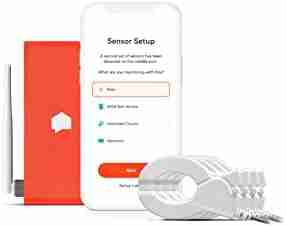
Sense Flex Home Energy Monitor
Original price was: $349.00.$279.00Current price is: $279.00. Buy Now - Sale!
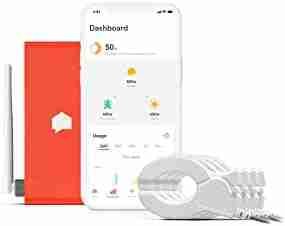
Sense Energy Monitor with Solar – Track Electricity Usage and Solar Production in Real Time Meets Rigorous ETL/Intertek Safety Standards
Original price was: $349.00.$279.00Current price is: $279.00. Buy Now - Sale!
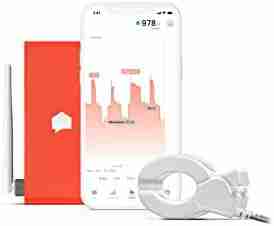
Sense Energy Monitor – Track Electricity Usage in Real Time and Save Money – Meets Rigorous ETL/Intertek Safety Standards
Original price was: $299.00.$229.00Current price is: $229.00. Buy Now - Sale!
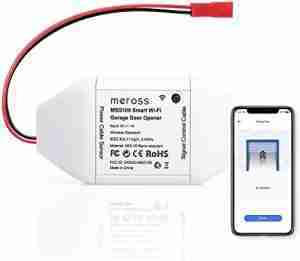
meross Smart WiFi Garage Door Opener Remote, App Control, Works with Alexa, Google Assistant and SmartThings, No Hub Needed
Original price was: $29.99.$23.51Current price is: $23.51. Buy Now - Sale!
meross Smart Garage Door Opener Remote, Compatible with Apple HomeKit, Amazon Alexa, Google Assistant and SmartThings, No Hub Needed
Original price was: $59.99.$39.99Current price is: $39.99. Buy Now - Sale!
Smart Keyless Entry Door Lock – Fingerprint Electronic Deadbolt Touchscreen Keypad SMONET Biometric Digital Bluetooth Door Lock Smart Deadbolt Work with Alexa for Homes and Hotel
Original price was: $149.99.$139.99Current price is: $139.99. Buy Now