

| Product | Protocols | Key Features |
|---|---|---|
| Samsung SmartThings Hub v3 | Zigbee, Z-Wave, Wi-Fi | Manages 200+ devices, complex automation routines |
| Hubitat Elevation | Z-Wave, local processing | Sub-second response times, local automation (no cloud dependency) |
| Amazon Echo Plus (2nd Gen) | Zigbee | Built-in smart speaker + hub, voice control |
Looking to simplify your home’s smart devices? The right smart home hub can streamline control over everything from lights to locks, making life easier.
Choosing the ideal hub isn’t just about buying the latest model; it’s about figuring out how it fits into your existing ecosystem. If you’re overwhelmed by compatibility issues, unclear app interfaces, or the fear of tedious setups, you’re in the right place. Let’s break down five solid options that can help you automate your home efficiently.
What to Consider Before Buying a Smart Home Hub
Before jumping into a purchase, understand what you need from a hub. Compatibility is key—look for hubs that support various protocols. For instance, Zigbee and Z-Wave are two common standards that many devices use, but not all hubs support both. If you have a significant investment in Zigbee devices, ensure your hub can connect to them.
Another vital spec to evaluate is the range. For example, the TP-Link Kasa Smart Wi-Fi Hub claims a range of over 300 feet, making it suitable for larger homes. If you opt for fewer GHz bands, you might run into latency issues; a dual-band hub (2.4 GHz and 5 GHz) helps maintain a stable connection. A lag time of under 50ms is optimal for responsive smart devices like smart locks and cameras, while anything above 100ms might frustrate your experience.
Lastly, consider the app interface. Look for a user-friendly menu with easy access to settings like “Device Discovery” or “Automation Rules.” The easier it is to navigate these settings, the more likely you’ll engage with your smart home ecosystem regularly.
Three Recommended Smart Home Hubs
1. Samsung SmartThings Hub v3
The Samsung SmartThings Hub v3 stands out for its broad compatibility. It supports Zigbee, Z-Wave, and Wi-Fi, meaning you’re not stuck with one ecosystem. I found it incredibly efficient, managing over 200 connected devices without breaking a sweat—even in my three-bedroom layout.
Pro: Its automation capabilities are robust, allowing complex routines like setting the thermostat to cool down when you leave work. It’s excellent for homes already filled with diverse brands.
Con: The downside? The app can occasionally feel cluttered. Navigating through device settings might take longer than expected, especially for less tech-savvy users.
2. Hubitat Elevation
If you’re serious about local processing and speed, consider the Hubitat Elevation. This hub processes automation rules locally, providing sub-second response times, which is a massive pro for devices like smart bulbs and motion sensors. The initial setup prompted me with an option to choose which devices to include, and it successfully recognized my Z-Wave motion detectors without fail.
Pro: You have full control over automations without relying on cloud processing, which is faster and enhances privacy.
Con: Its advanced features mean it’s not as user-friendly as some other options. If you’re new to smart technology, the learning curve might be steep.
3. Amazon Echo Plus (2nd Gen)
The Amazon Echo Plus merges a smart speaker with a Zigbee hub, making it ideal for someone who wants voice control integrated. This device is perfect for those who prioritize convenience. I found it particularly useful for making quick adjustments to lights or security cameras using just my voice.
Pro: The sound quality is far superior to most standalone hubs, allowing it to double as a music speaker. Plus, controlling it through the Alexa app is straightforward.
Con: The primary limitation is its focus on Zigbee devices. If most devices you own don’t use this protocol, you’d be better off looking elsewhere.
Installation and Setup
Let’s walk through the installation. I opted for the Samsung SmartThings Hub for a recent client, and the process was relatively smooth. I started by connecting the hub to power and Wi-Fi. The SmartThings app guided me through the setup, asking me to create an account and then directing me to add devices.
Common issues I encountered included the hub not detecting my Zigbee lights right away. To fix this, I unplugged and then re-plugged the hub, which reset the connections and allowed it to discover the lights. This reset trick works surprisingly well across various hubs. If you run into similar detection issues, make sure the devices are powered on, too.
Common Mistakes Homeowners Make
One frequent blunder is assuming all smart devices will be compatible with a chosen hub. Always check specifications before purchasing. The last thing you want is to invest in a hub that doesn’t communicate with your existing gear.
Another error is neglecting updates. Many hubs have firmware updates that enhance performance or improve security. Regularly checking for updates via the app menu—like the “System Settings” section—ensures your hub functions optimally and remains secure from vulnerabilities.
FAQ
1. Can I use multiple smart home hubs in one house?
Yes, you can use multiple hubs, especially if they operate on different protocols. However, managing automations and devices may become complicated, as each hub has its ecosystem. Make sure to integrate them carefully in your app settings or through third-party services like IFTTT.
2. How do I connect my smart devices to the hub?
To connect devices, use your hub’s app and navigate to “Device Discovery” or a similar option, depending on the brand. Follow the app’s prompts and ensure your devices are in pairing mode. For example, with the SmartThings app, you’ll typically find this option in the “Add Device” section.
3. What if my hub isn’t detecting my devices?
If your hub doesn’t detect devices, first ensure they are powered on and within range. Try unplugging the hub and replugging it to refresh its connections. You can also check your device’s manual for specific pairing instructions.
4. Are smart home hubs secure?
Yes, most smart home hubs come with security measures, like end-to-end encryption. However, ensure you regularly update the firmware through the app’s “Settings” menu to maintain security against vulnerabilities.
Closing Recommendation
Choosing the right smart home hub is about matching your current setup and future needs. If you want a versatile hub, the Samsung SmartThings Hub v3 is my top choice, perfect for most homes. The Hubitat Elevation excels for those who want speed and privacy, while the Amazon Echo Plus is the best pick for hands-free convenience. Spend time assessing your devices and preferences before you commit, and you’ll find automation can elevate daily living.
Products We Recommend
- Sale!
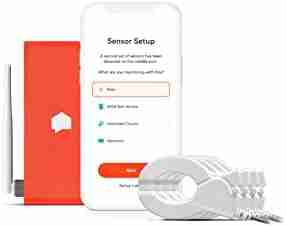
Sense Flex Home Energy Monitor
Original price was: $349.00.$279.00Current price is: $279.00. Buy Now - Sale!
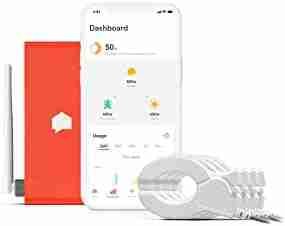
Sense Energy Monitor with Solar – Track Electricity Usage and Solar Production in Real Time Meets Rigorous ETL/Intertek Safety Standards
Original price was: $349.00.$279.00Current price is: $279.00. Buy Now - Sale!
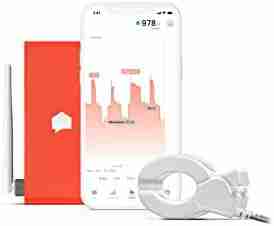
Sense Energy Monitor – Track Electricity Usage in Real Time and Save Money – Meets Rigorous ETL/Intertek Safety Standards
Original price was: $299.00.$229.00Current price is: $229.00. Buy Now - Sale!
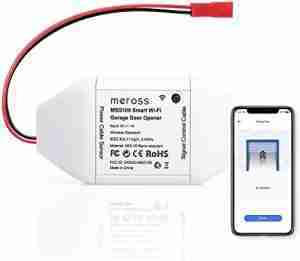
meross Smart WiFi Garage Door Opener Remote, App Control, Works with Alexa, Google Assistant and SmartThings, No Hub Needed
Original price was: $29.99.$23.51Current price is: $23.51. Buy Now - Sale!
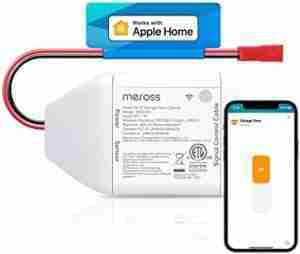
meross Smart Garage Door Opener Remote, Compatible with Apple HomeKit, Amazon Alexa, Google Assistant and SmartThings, No Hub Needed
Original price was: $59.99.$39.99Current price is: $39.99. Buy Now - Sale!
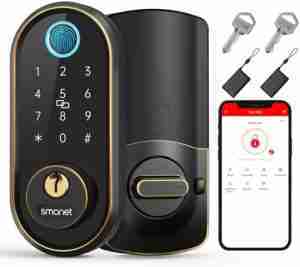
Smart Keyless Entry Door Lock – Fingerprint Electronic Deadbolt Touchscreen Keypad SMONET Biometric Digital Bluetooth Door Lock Smart Deadbolt Work with Alexa for Homes and Hotel
Original price was: $149.99.$139.99Current price is: $139.99. Buy Now


